Checking Destinations in the Data Lake
After at least 30 minutes, you can even check your dataset to see if a Profile was sent to a Destination with the following:
- Go to AEP
- To find it, go to Dataset on the left rail
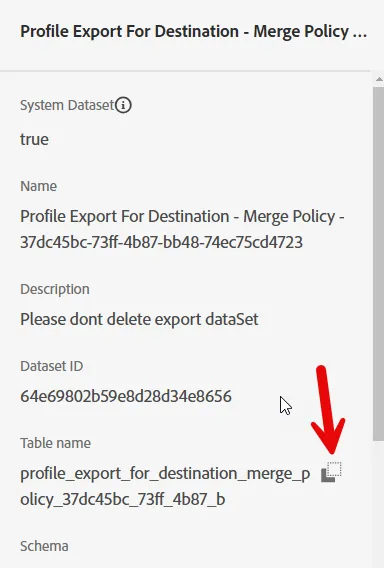
- In the list filter on "dest", open the dataset that starts with "profile export for destination merge policy" and copy the table name on the right rail.
Go to Queries on the left rail
Click on Create Query on the top right.
Copy and change the SQL (as directed below) into the AEP query
- Change the SQL using to the table name you copied above.
- e.g. FROM [TableName] would be changed to FROM profile_export_for_destination_merge_policy_1a0f95ac_10fb_4f9b_9 in my sandbox.
SQL for Web Event to Hub
SELECT * FROM [TableName]
WHERE extSourceSystemAudit.LASTREFERENCEDDATE >= CURRENT_DATE
AND identitymap['email'][0].ID in ('[email protected]')
ORDER BY extSourceSystemAudit.LASTREFERENCEDDATE DESC
LIMIT 10
Order Event to Hub & Web Event to Edge
SELECT * FROM [TableName]
WHERE extSourceSystemAudit.LASTREFERENCEDDATE >= CURRENT_DATE
AND identitymap['email'][0].ID in ('{{SANDBOX_NAME}}@dep.com')
ORDER BY extSourceSystemAudit.LASTREFERENCEDDATE DESC
LIMIT 10