Create Edge Audience
This Audience will be used to qualify someone when a payload (e.g. page view), comes from the client (e.g. web sdk) to the Edge
We evaluate an audience on the Edge usually so that we can turn around and use it in Personalization. If we aren't doing Personalization on the Edge, then we can just have the audience evaluate as Streaming on the Hub.
Create Audience
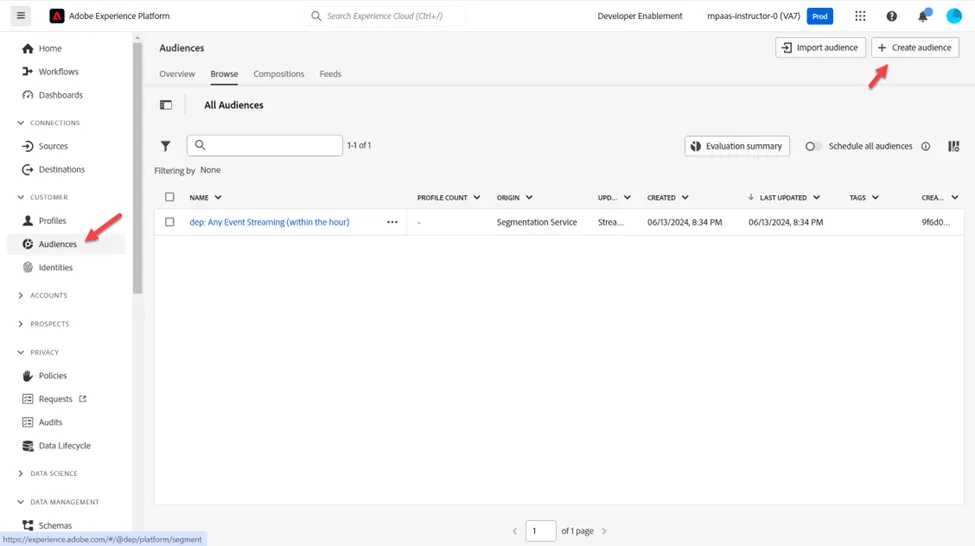
- In the left rail click on Customer > Audiences
- Then click on Create Audience in the upper right corner of your screen
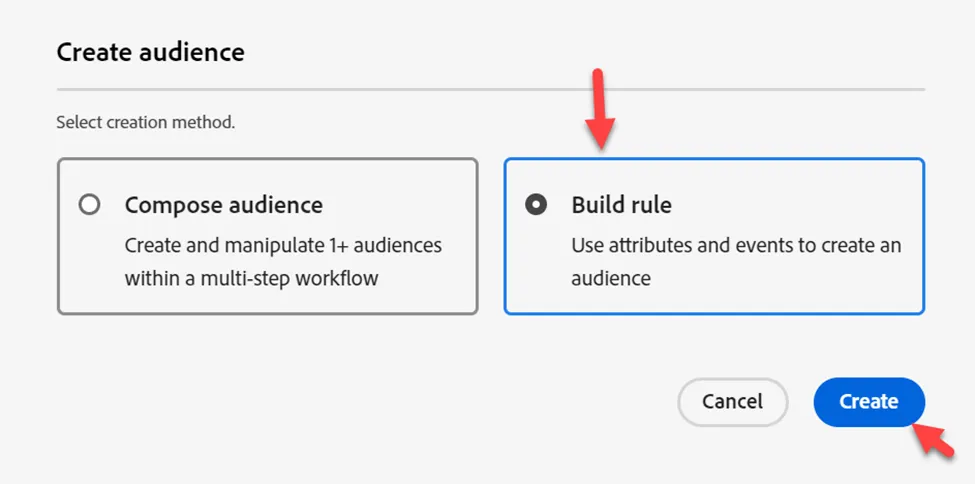
- Then click on Build Rule
Convert Audience to Rules
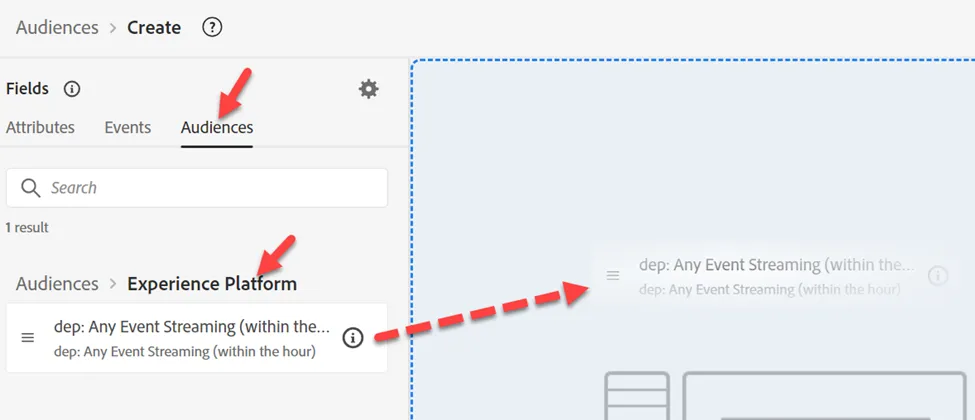
- Go to Audiences and click into the Experience Platform folder
- Drag 'n drop the audience named dep: Any Event Streaming (within the hour) onto the canvas
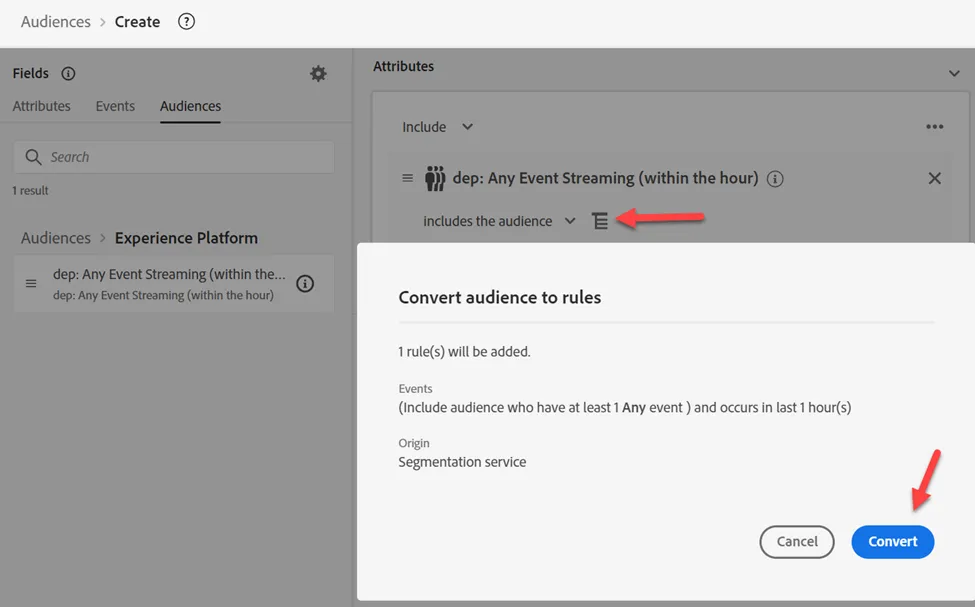
3. Convert the audience to a set of rules in the canvas by clicking on the icon shown below and then click Convert
Update Event Rules
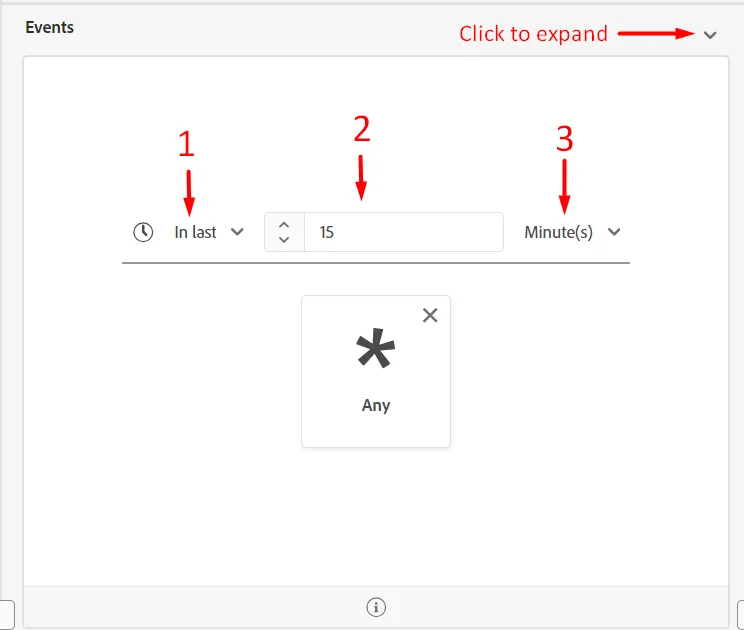
Make the following changes to the event rules (you may need to expand the event to see it)
- Click on the "Any Time" drop down and scroll down to find "In Last"
- In Last
- 15
- Minutes
Publish Segment
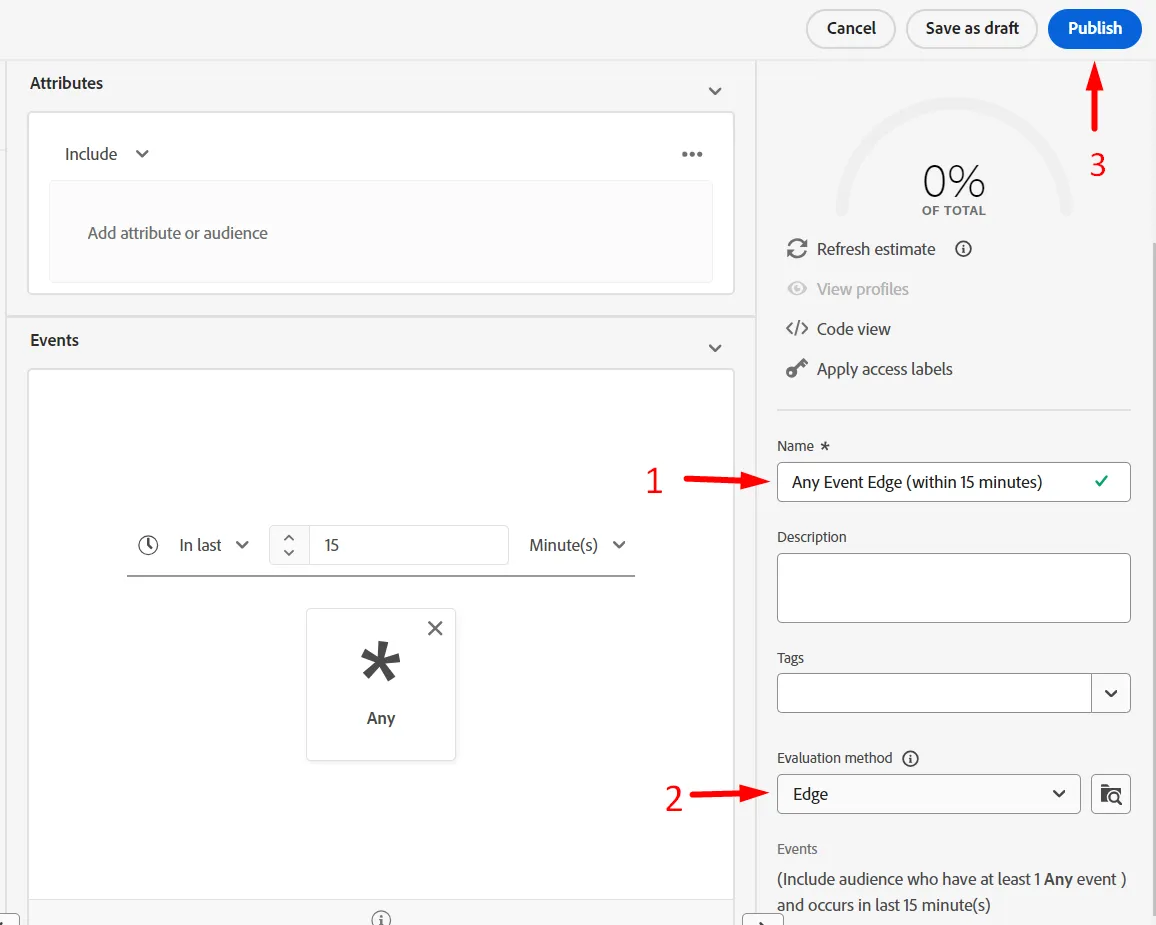
- Update the name of the segment to Any Event Edge (within 15 minutes)
- Update the evaluation method to Edge
- Publish the segment
Create Batch Evaluated Segment
Repeat the same steps you just did for the edge segment you created. Use the same dep: Any Event Streaming (within the hour) audience to create a new audience but use the following information instead:
We will be creating a batch audience so you can see that even though an event is passed into the Edge, any audiences saved as batch evaluation are not evaluated in a streaming fashion.
Event rules:
- In Last
- 1
- Day
Segment Details:
- Name -> Any Event Batch (within 1 day)
- Evaluation Method -> Batch
- Publish