Web Event to Edge
Now we can send in an event to the Edge to see it all work.
To do this we will use Postman to send a Web Event to the Datastream we created.
This will send in an event with no OAuth Token to simulate a page view coming in from the web to the Edge. Ensure you have Postman open on your machine to perform this lab.
Because we are not passing in an authenticated token, we will not get back any attributes.
Lab Expectations
- Experience Event to hit the Edge
- Datastream configuration to use Event Forwarding Service
- Event Forwarding to send the Event to the webhook
- Datastream configuration to use AEP Service
- Edge Audience to run
- Send Event to the Hub
- Postman Response to include Edge Audience (but no attributes)
- Profile Store to receive event and add an Event Profile Fragment
- Identity Store to add a relationship
- Dataset to receive data and store in Data Lake
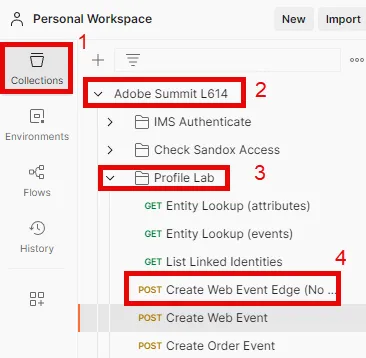
Navigate to the Call
- Postman Left Sidebar -> Collections
- Collection -> Adobe Summit L614
- Folder -> Profile Lab
- API Request -> Create Web Event Edge (No Auth)
Modify API Request
Before you can execute the API request you need to add some additional pieces of information to the request. Start by gathering the following values:
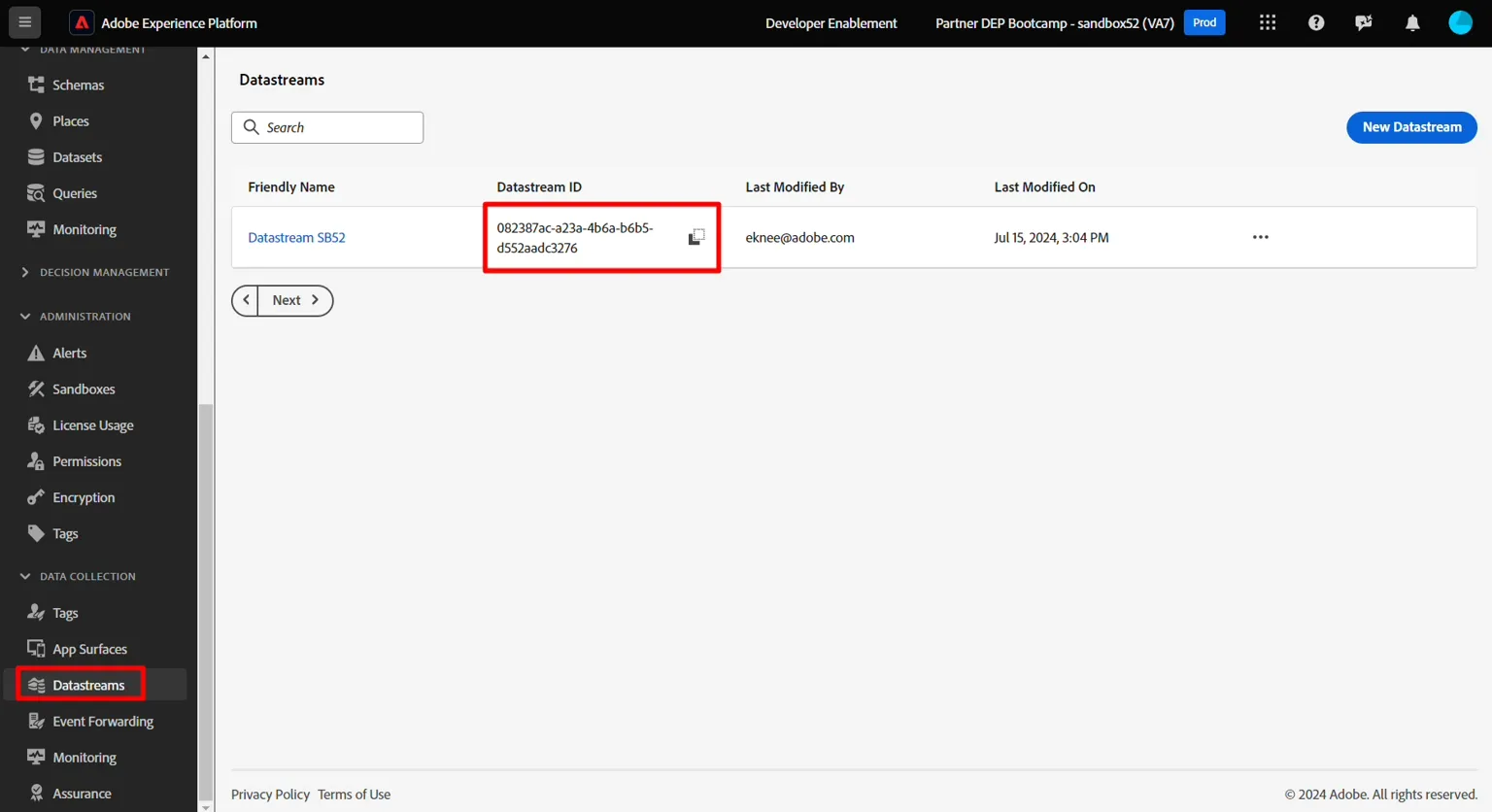
Gather the Datastream ID
- In the left rail click on Datastreams (under the Data Collection heading)
- Select your Datastream and copy the Datastream ID value
Update Postman Query Param
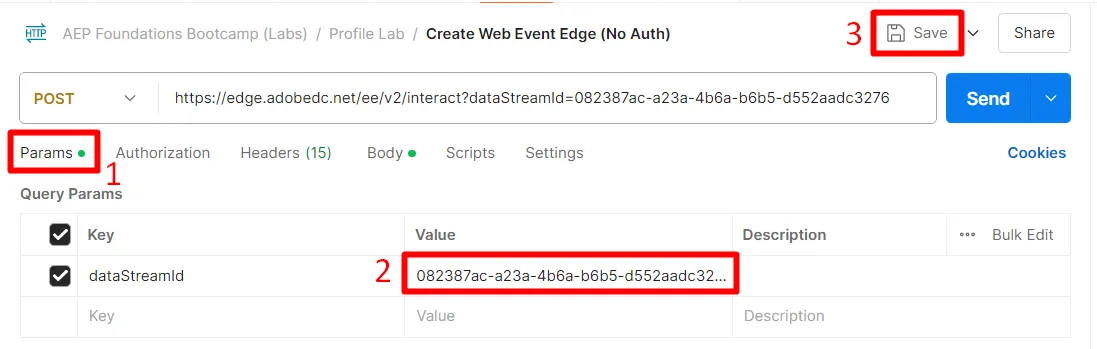
- In the request itself click on Params
- Update the Value with the datastream ID from the previous step
- Click the Save button to save your update
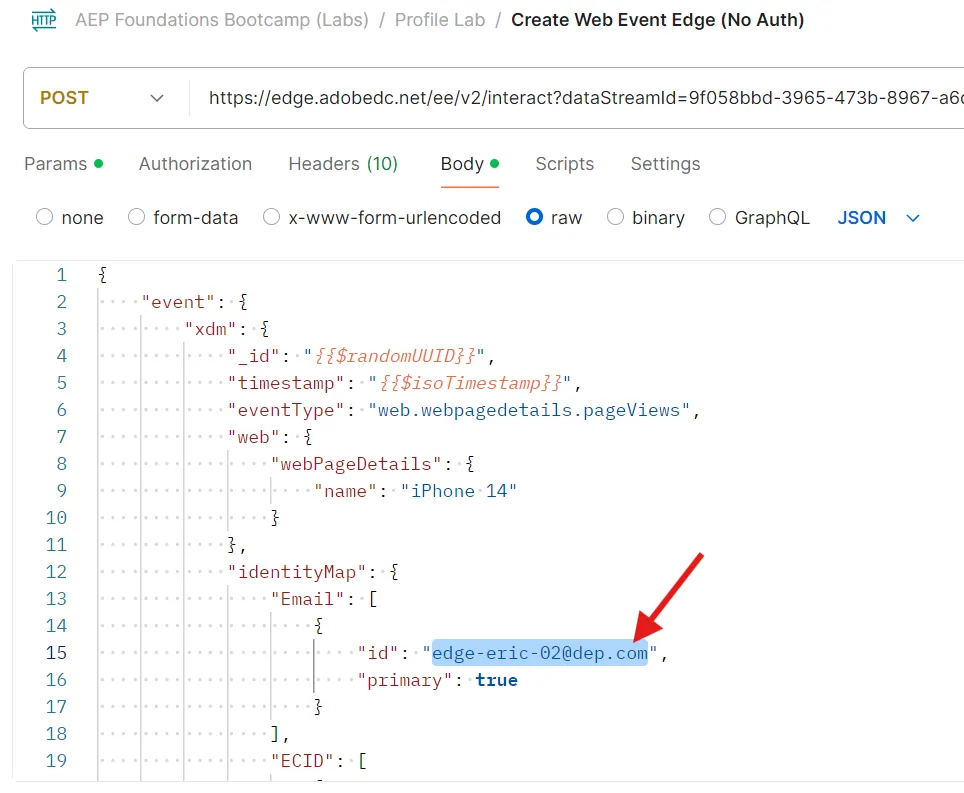
Change the email in body of the call to use "[email protected]" and hit send. This be used later if you finish your lab early.
Then change the email to your email.
Execute the API
Execute your request by clicking the Send button.
Your response should look something like this, but it might be slightly different depending on how you named things.
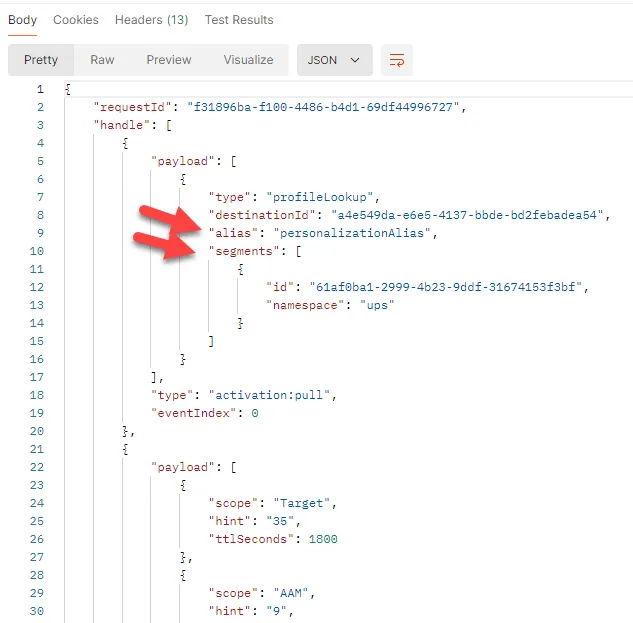
What you should see coming back in the response are these core things:
- A 200 OK response means the data was successfully sent and accepted by the Edge Network
- In the payload response you should also see the following:
- the destinationId of the Custom Personalization destination you setup
- the alias name of that destination (yours was called edgeAlias)
- any of the Audiences the profile qualified for that exist on the edge
Errors You Might Encounter
Below is an example of an error you may encounter. This means the edge segmentation service processed the payload sent to the edge, but it timed out when responding to the calling application.
"errors": [
        {
            "type": "https://ns.adobe.com/aep/errors/EXEG-0203-502",
            "status": 502,
            "title": "The service call has failed.",
            "detail": "An error occurred while calling the 'com.adobe.experience_platform.edge_segmentation' service for this request. Try again.",
            "report": {
                "eventIndex": 0
            }
        }
    ]
Any streaming and batch Audiences will not show until they are evaluated at the hub first
If you were sending to server.adobedc.net using a bearer token you would also see the attribute you configured in the Custom Personalization Destination. Try yourself if you finish early.
Validate the Profile
- Go back to AEP
- Lookup your Profile to see that the event was ingested onto Profile. It should appear in seconds. (instructions)
- Use the email in your call to lookup the Profile
- Merge Policy: Default Time-based
- Namespace: Email
- e.g. if your email is [email protected] then you would put depeche.mode@dep in the value
- Note: we sent in two events with different emails, one was yours. You changed this in the Update Postman Query Param step above
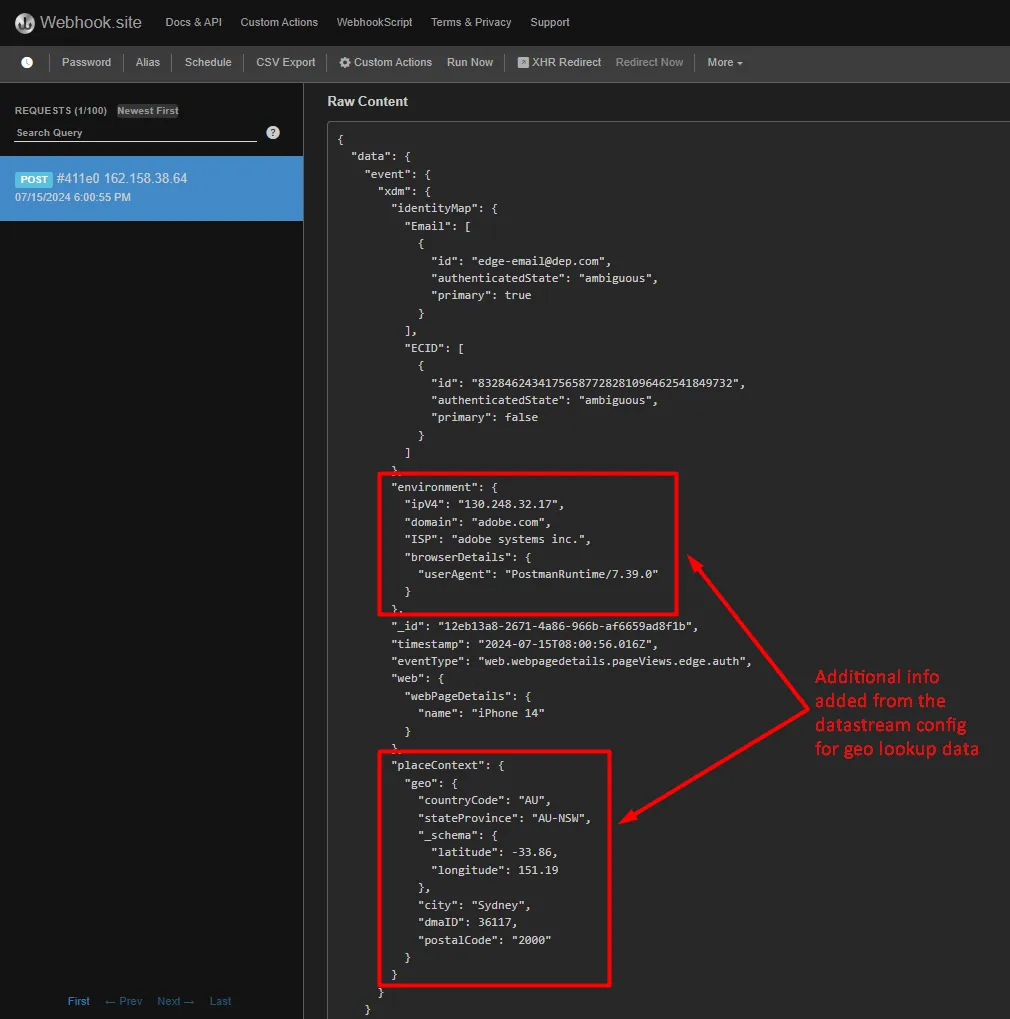
- The webhook should now have received a different payload that has the Event that was sent to the Edge.
Notice the payload has added the geo lookup information you asked for when you setup the datastream you used in your edge setup
How to Interpret the Checks you have done
- Check for 200 response in Postman (properly formatted payload)
- Check if the webhook has the event (properly configured Event Forwarding)
- Check if the Profile has the events (properly configured AEP Service, event received and processed event on the Hub)
- Check if the Profile has two identities (Identity Graph has linked on the Hub)
- Check if the Profile qualified for the audiences (properly defined audience)