Web Event to Hub
Open Postman
Launch postman on your computer and navigate to the following API call:
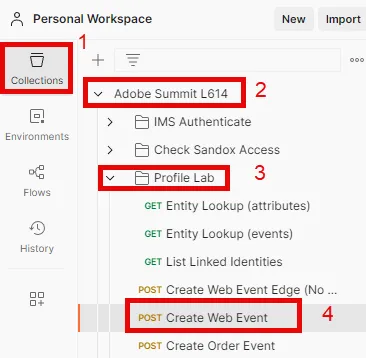
- Postman Left Sidebar --> Collections
- Collection --> Adobe Summit L614
- Folder --> Profile Lab
- API Request --> Create Web Event
Modify API Request
To create the sample API request you need to fill in the following pieces in the body of the API request.
Start by gathering the following values:
Find Account Streaming Endpoint
- Go back to AEP
- Navigate to Sources in the left rail and then click on Accounts in the top nav
- Search for dep: HTTP API [raw], highlight the row (click on the row not the hyperlink) and copy and save the value of the Streaming Endpoint somewhere you can reference later
-
![dep: HTTP API [raw]](https://cdn.images.archbee.com/n-ADAXZy_lxxLyKc0x1oi-VT-rvewysl8ABem1xFkox-20241025-024115.png?format=webp "dep: HTTP API [raw]")
dep: HTTP API [raw]
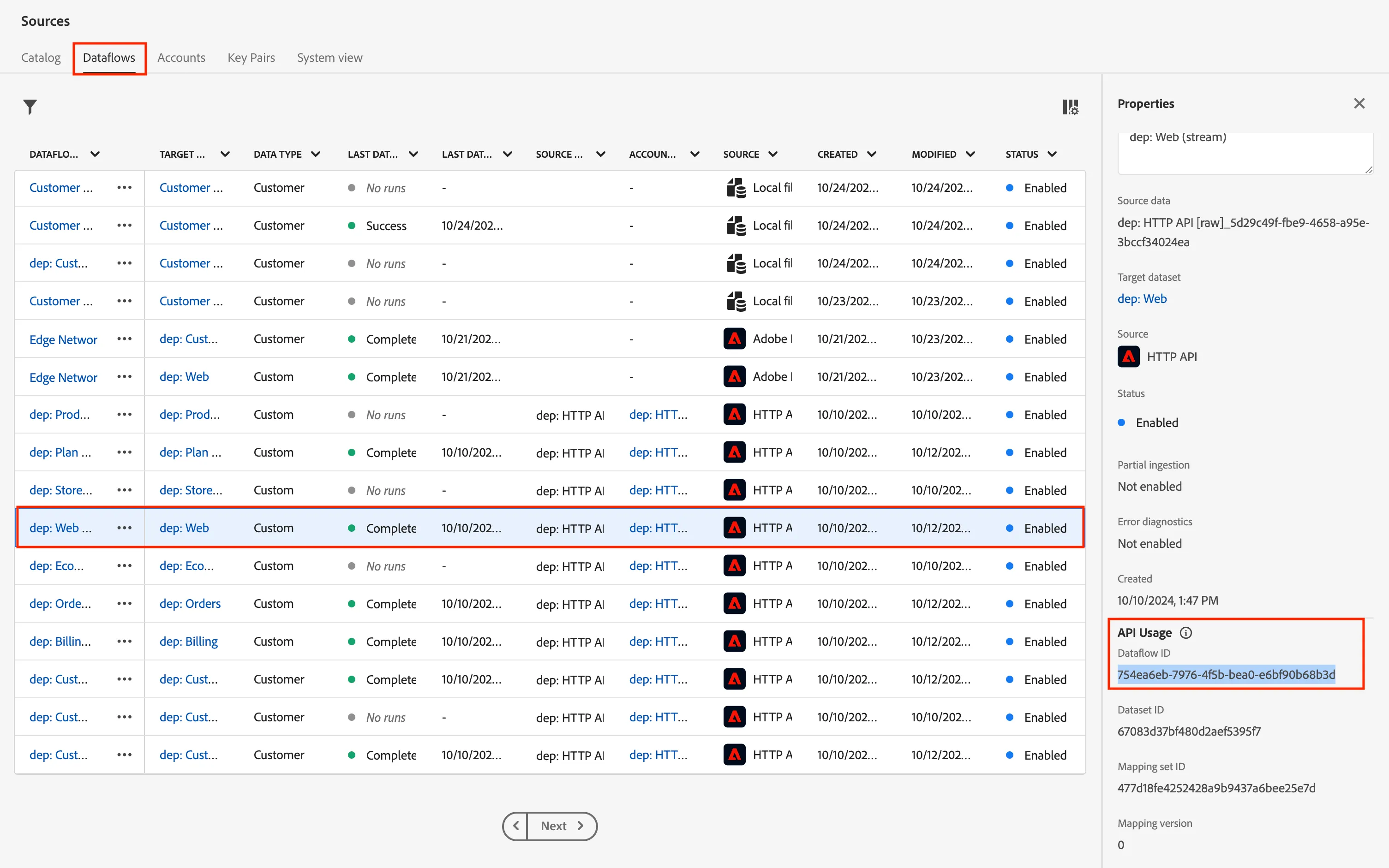
Find Web Dataflow ID
- Click into the HTTP API [raw] Account
- Find and Select the dataflow row called dep: Web (stream)
- In the right rail copy and save the Dataflow ID values somewhere you can reference later
Click in an empty space on the row. DO NOT click on the blue links!
Web Dataflow ID
Create Final API Request
Go back to Postman
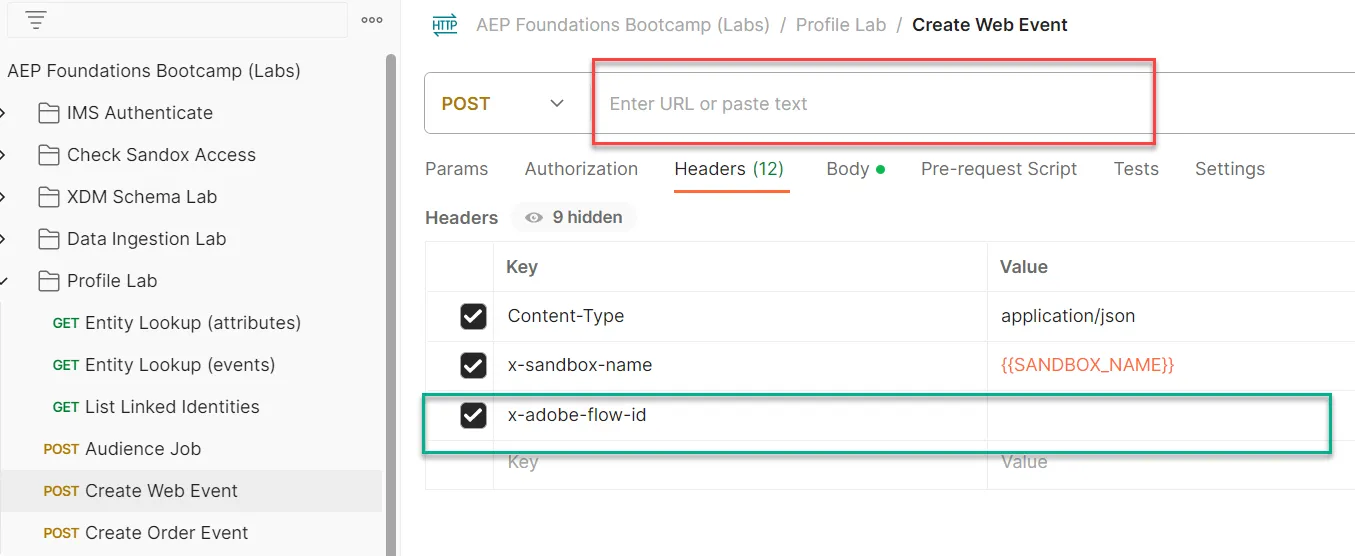
Copy the values you saved in the previous steps into the places highlight below.
- Red --> Streaming Endpoint URL
- Green --> Dataflow ID
Your final API request should look like this when done
DO NOT EXECUTE YET!
Execute the API
- Save your API call by clicking the Save button in the top right
- Execute your request by clicking the Send button in the top right
- We are simulating a web page view being streamed to the Hub.
- This means that when we go check the profile in the next Validate section, we will see it trigger any streaming audiences, evaluate the rules it has and possibly qualify for it.
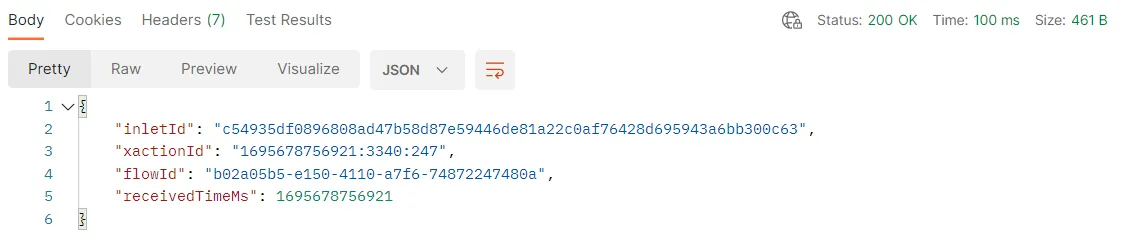
A successful call should result in something similar as below in the response. The actual values will vary based on a few things.
Validate
- Go back to AEP
- Lookup your Profile to see that the event was ingested onto Profile. It should appear in seconds. (instructions)
- Use the email in your call to lookup the Profile
- Merge Policy: Default
- Namespace: email
- Value: "{{SANDBOX_NAME}}@dep.com"
- Depending on how long it was since you last sent in an event, you may not qualify for new Audiences. Otherwise you may see these or others:
- Any Event Edge (within 15 minutes)
- Remember: all audiences saved with an Edge evaluation also are evaluated on the Hub when streaming data comes in
- dep: Any Event Streaming (within the hour)
- Event Forwarding won't send anything.
- Why? This event went to the Hub, not the Edge, thus, the event will not appear as an something for Event Forward to send, nor in Assurance.
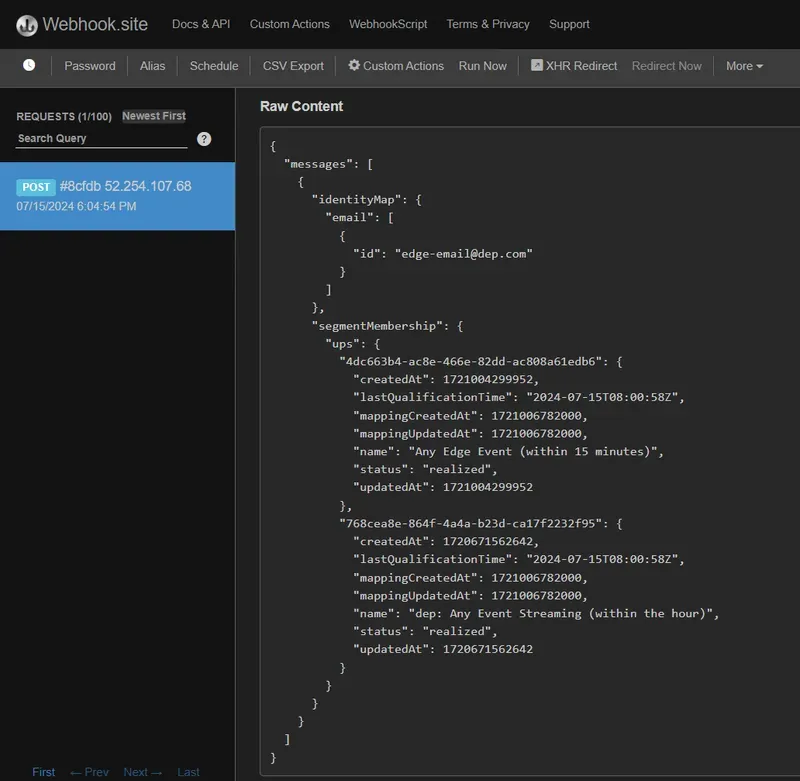
- Destinations should send a payload to your webhook within 5 minutes. It will look similar to this below: