Access Token
API Security Overview
To establish a secure API connection to an Adobe product Adobe provides the creation of an OAuth server-to-server credential. To do so you must first create a developer project within the Adobe Developer Console. In order to have access to the Developer Console you must have been assigned Developer Rights within the Adobe Admin Console. Once you have these rights you can create developer projects utilizing the various Adobe product related APIs. This is where the OAuth Server-to-Server credential comes into play. To generate an access token you must pass a certain set of claims to Adobe's Identity Management Service (IMS). For OAuth server-to-server credentials an example call would like so:
curl -X POST 'https://ims-na1.adobelogin.com/ims/token/v3?client_id={CLIENT_ID}' \
  -H 'Content-Type: application/x-www-form-urlencoded' \
  -d 'client_secret={CLIENT_SECRET}&grant_type=client_credentials&scope={SCOPE}
You can learn more about the e2e process for creating the developer project using OAuth Server-to-Server credentials here. For the bootcamp we will "hand wave" this step of the process 😄
Adobe Experience Platform + Adobe IMS
Every request to any Adobe service must include the access token in the Authorization header along with the Client Secret that was generated during the developer project creation. Additionally, the Experience Platform and its associated applications require two other header params are present on each request.
- x-gw-ims-org-id - this param specifies the IMS Org that the request belongs to and ensures the processing of the requests resolves to the appropriate SaaS environment
- x-sandbox-name - this param specifics which sandbox to process the request in within the Experience Platform
Now that you understand a little bit about how Adobe secures its API's and what is required to work them lets actually use them.
Not specifying the x-sandbox-name param does not fail the request as you might expect. Instead it defaults the request to process into the default sandbox that is automatically provisioned with any Experience Platform environment
As part of this bootcamp we created a developer project and provided you a Postman Environment file with all of the necessary values request an access_token. This is what you uploaded in the previous steps of the lab
Authenticate with Postman
- Launch Postman and navigate to the directory titled IMS Authenticate and open the request by clicking on it and then under that click OAuth Access Token
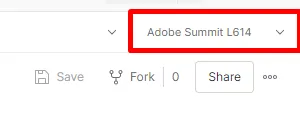
- Next in the upper right corner of Postman you'll see an environment drop-down. Select the Adobe Summit L614 environment from the drop-down
- Now execute the call by clicking the “Send” button
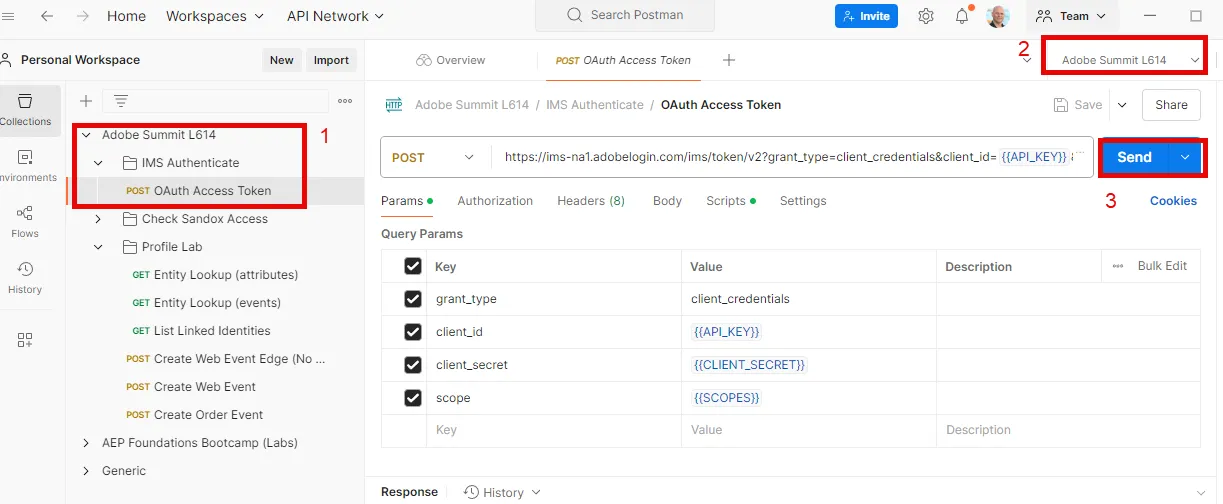
A successful response should result in a 200 OK meaning you've successfully authenticated
{
    "token_type": "bearer",
    "access_token": "<value>",
    "expires_in": 86399979
}
token_type - always will be of type bearer
access_token - proves authorization and required in the authorization header of all API calls
expires_in - milliseconds until the access token expires (24hrs expiration period today)
Congratulations! You've successfully authenticated and your access_token is now saved to your environment file
Error
If you forgot to set your Postman Environment in the previous steps you will see the following error:

This happened because you did not set your environment file. To do so ensure you have selected if from the Environment dropdown as shown below