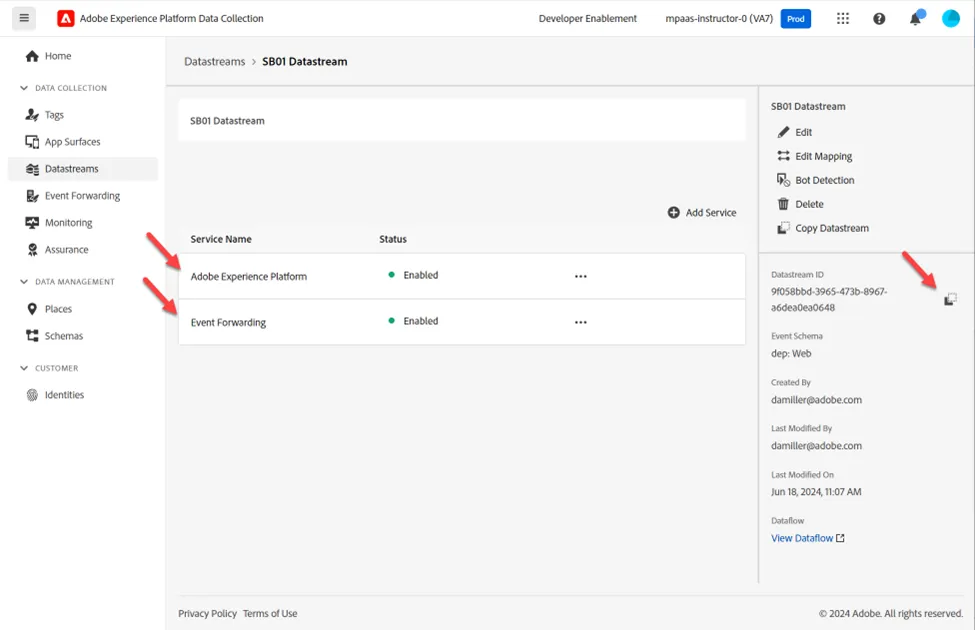
Create Datastream
A Datastream defines which services that will utilize it.
- When sending data to the Edge you specify which Datastream to use
- Data sent to these Datastreams can then take action according to the service configured
- Event Forwarding
- Adobe Experience Platform
Create a New Datastream
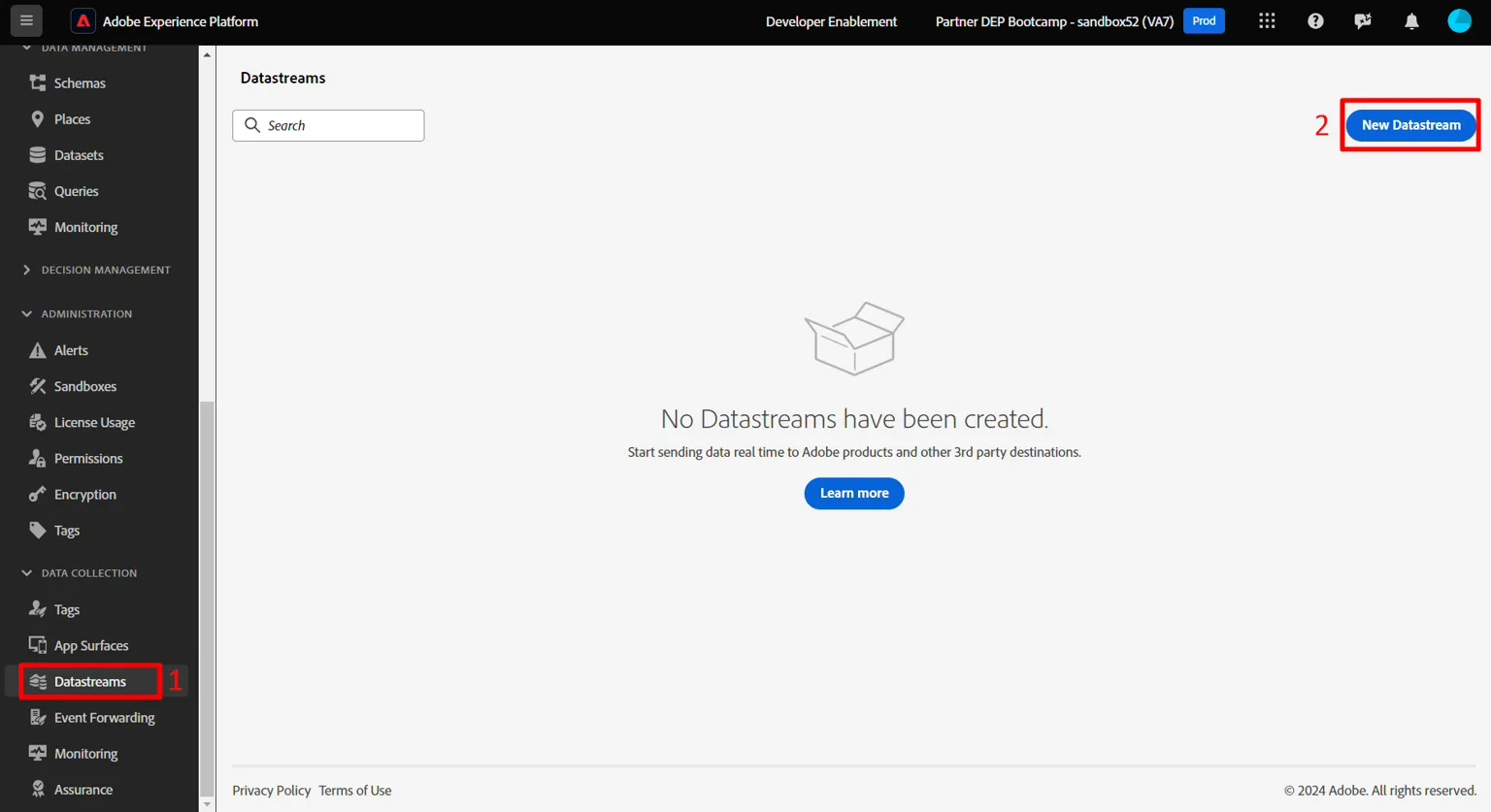
- In the left rail under Data Collection click on Datastreams
- Then click on New Datastream to create one
Configure Datastream
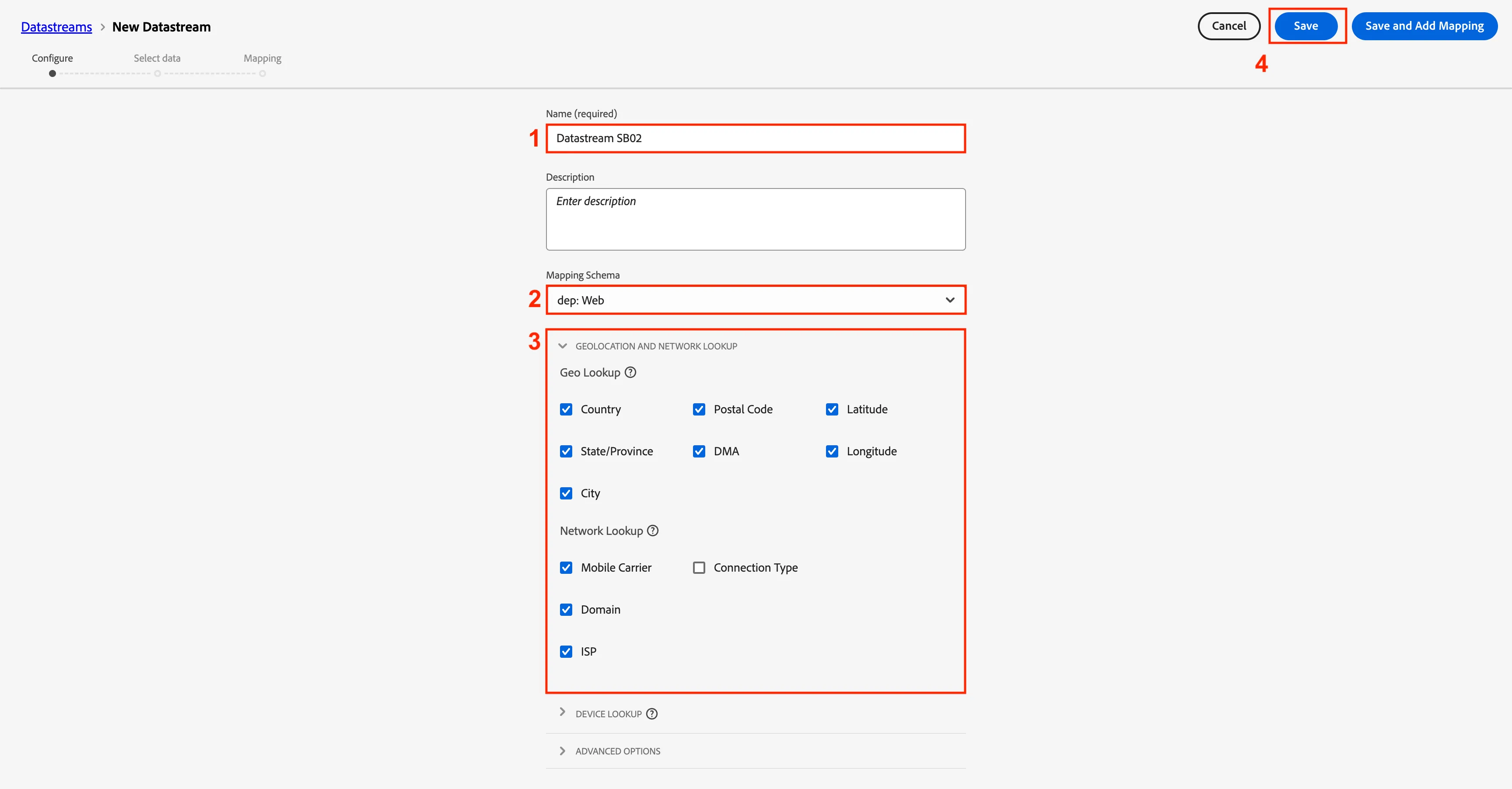
Configure the datastream with following information:
- Name -> Datastream SB + <sandbox name> (i.e Datastream SB01)
- Event Schema -> dep: Web
- Toggle on all the options under Geolocation and Network Lookup
- Click on the Save button when done
Do not click on Save and Add Mapping. If you accidently do just cancel out
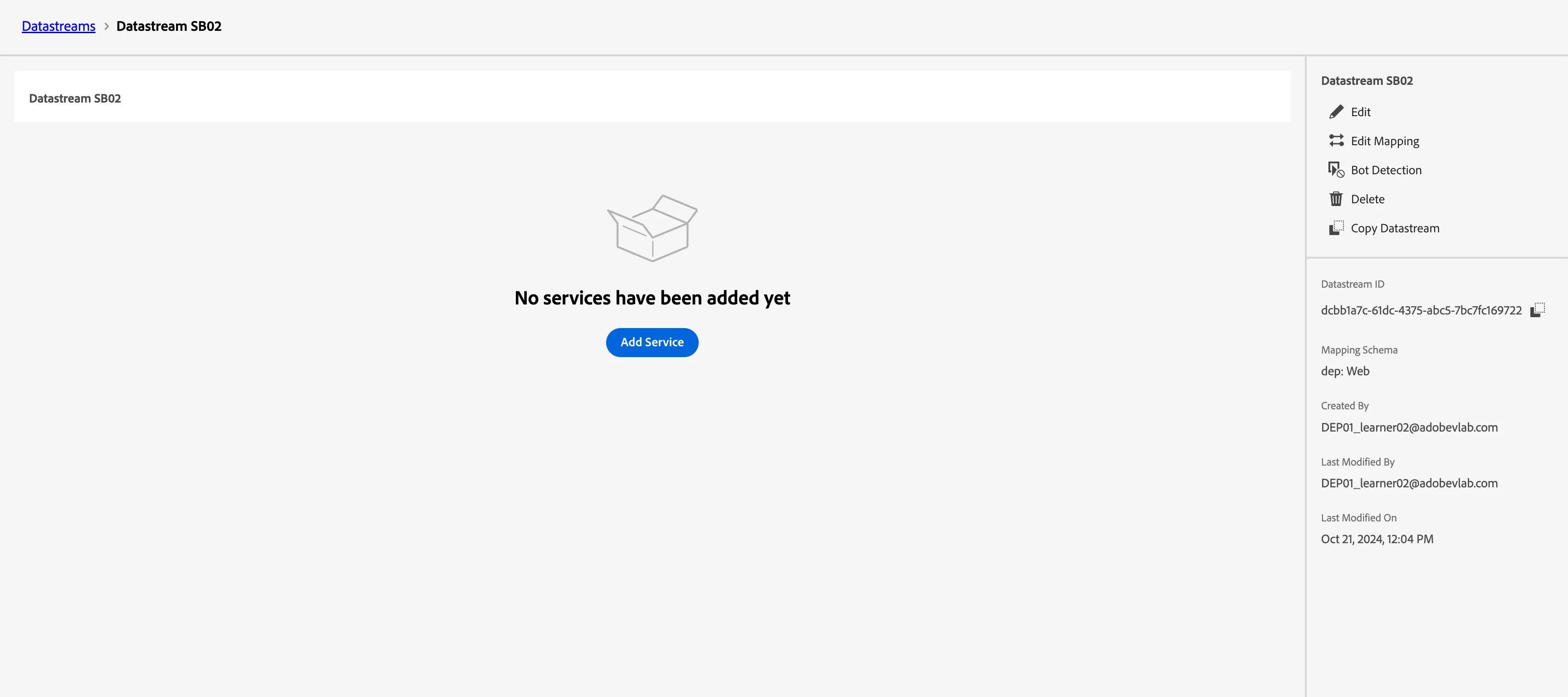
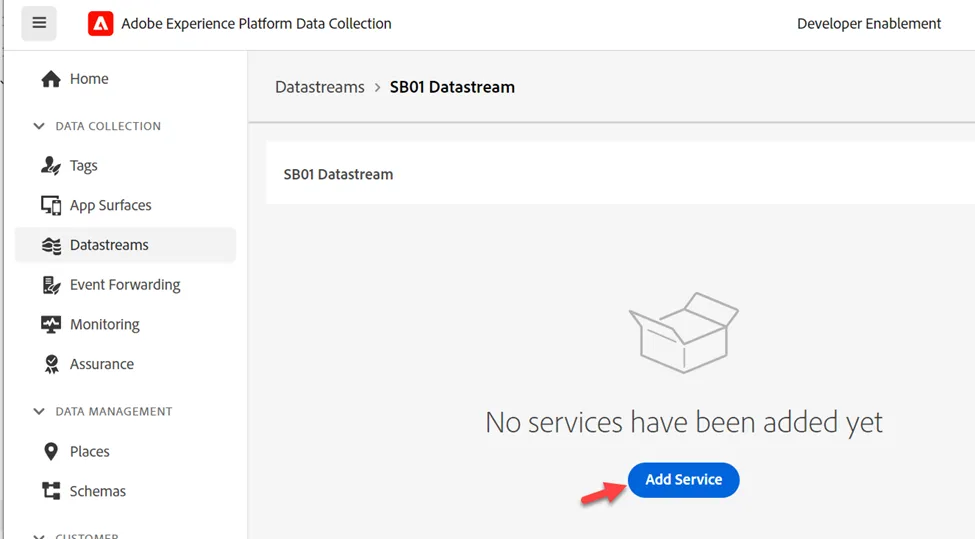
After you save your datastream you will see the following screen:
Add Adobe Experience Platform Service
Typically we would use Tags to send the data directly to AEP. Here we are using Event Forwarding to send the data to AEP for simplicity purposes (e.g. you don't have to create multiple properties, data elements, etc.)
This will allow us to send data to the Hub and land in a dataset for data received by this Datastream.
- Click on Add Service
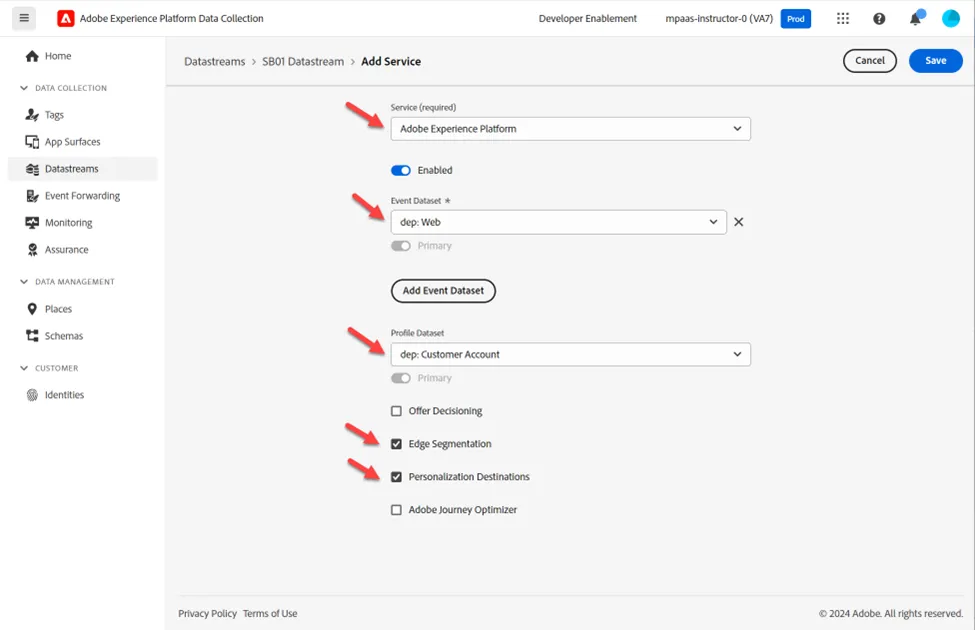
2. Configure the following items:
- Service -> Adobe Experience Platform
- Event Dataset -> dep: Web
- Profile Dataset -> dep: Customer Account
- Select Checkbox -> Edge Segmentation
- Select Checkbox -> Personalization Destination
3. When done click Save
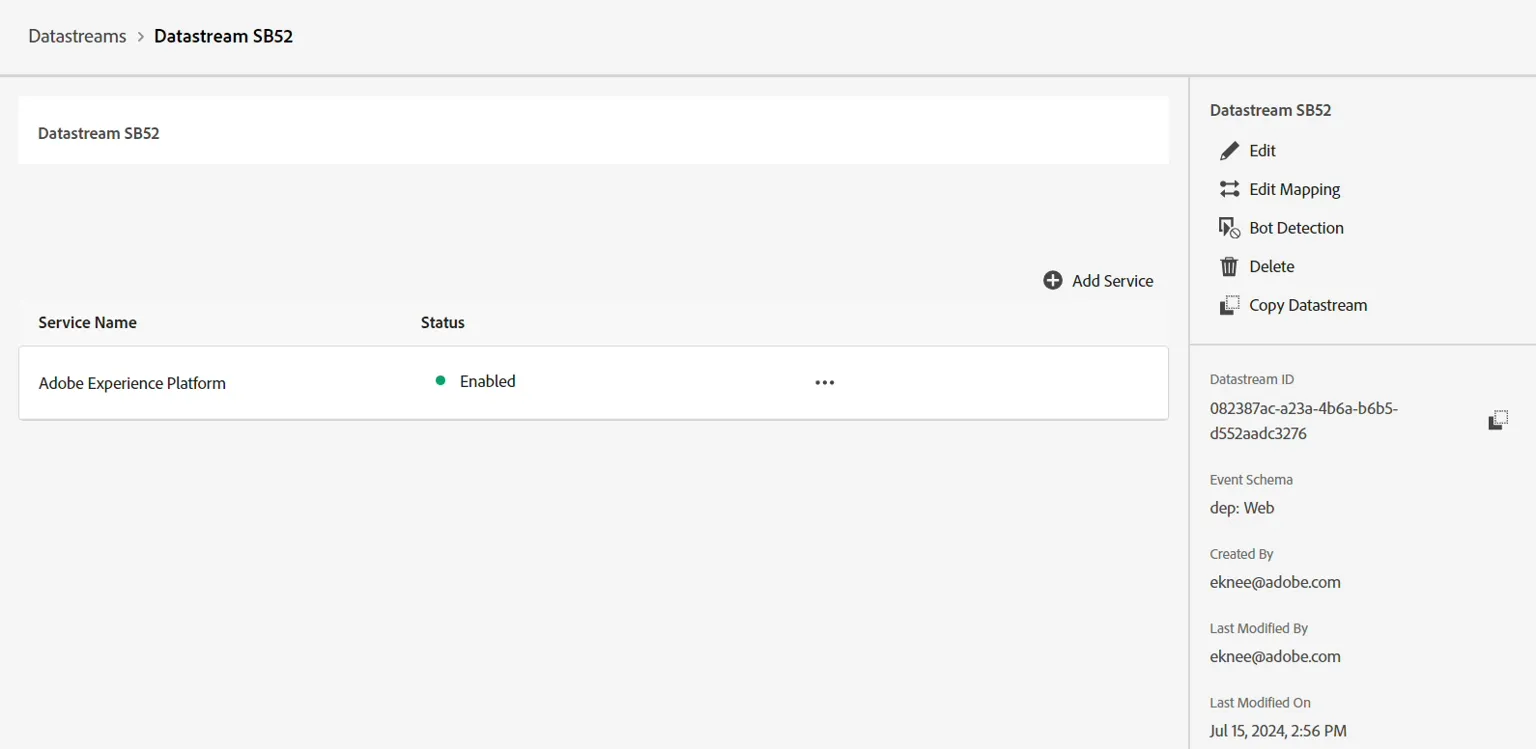
You should see the service now added to your datastream
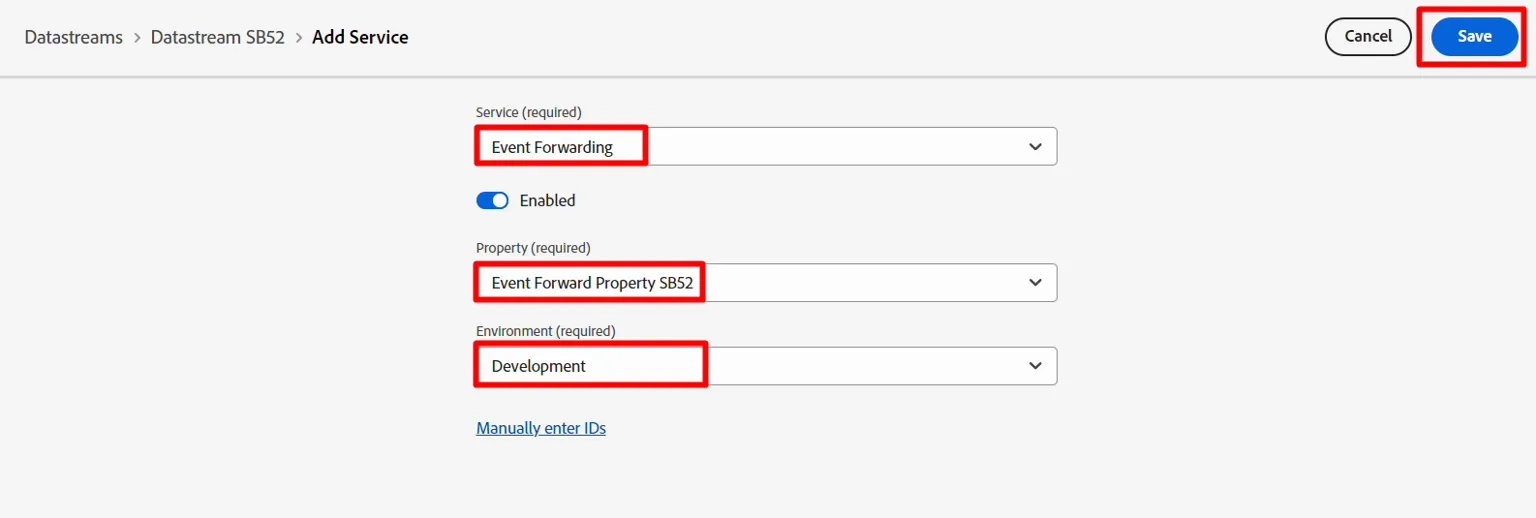
Add Event Forwarding Service
This will allow us to use Event Forwarding for data received by this Datastream.
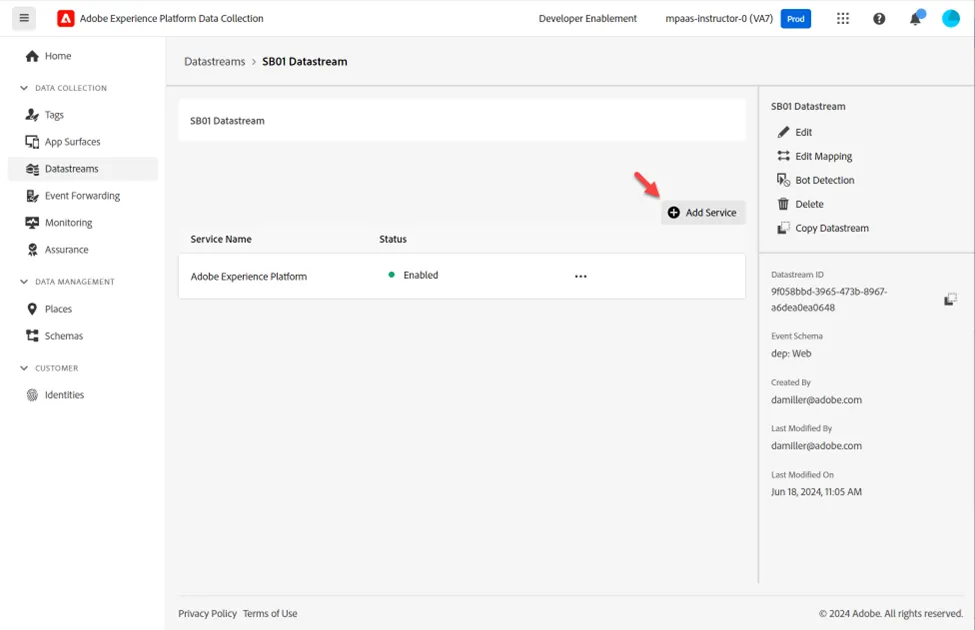
- Click on Add Service
2. Configure the following items:
- Service -> Event Forwarding
- Property -> Select the property you created in the previous step. It should be named like so: Event Forwarding Property SB + <your sandbox number>
- Environment -> Development
3. When done click Save
When done your final screen should look like below with two services present. Copy and save the Datastream ID to your local computer (we will use it later in Postman)