Save the Audience
Objective
In the next set of steps you will be saving the audience your created back to the Audience Portal so other solutions across Adobe Experience Platform and its applications can leverage it for their own use cases.
Change the Dimension
- On the workflow canvas, click the + icon on Save Audience branch and from the list of activities, select the Change Dimension activity
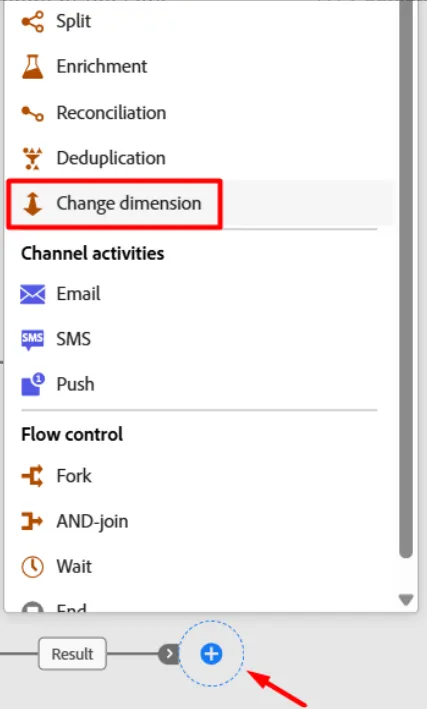
- Update the properties of the change dimension as outlined below:
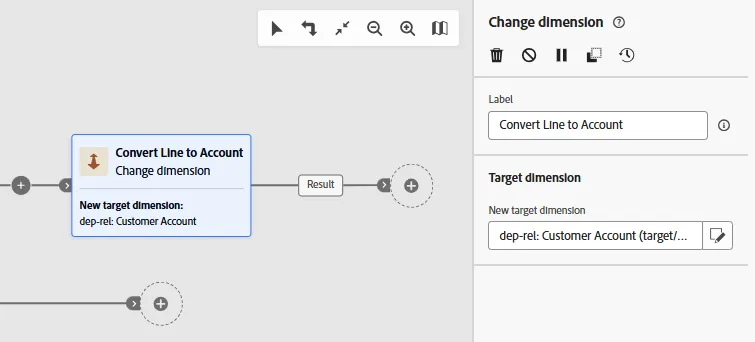
- Label: Convert Line to Account
- New target dimension: Customer Account
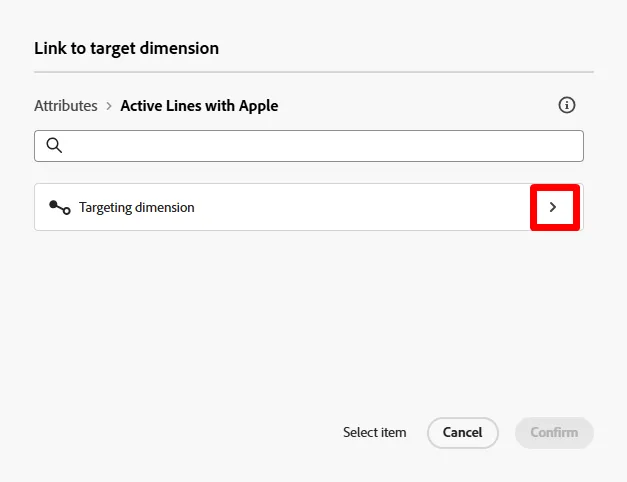
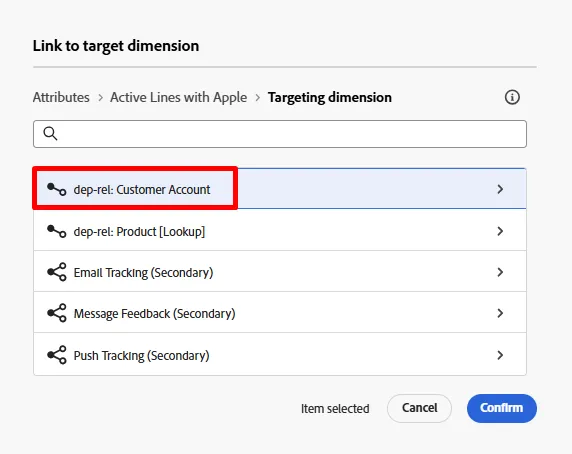
Why are you doing this you ask? Remember that to join to the Real-Time Customer Profile (which is where you save audiences to) you have to use the Profile Target Mapping you configured which only joins from the Customer Account schema.
- When done, you should now see this in your canvas. Save your work!
Deduplicate the Result
- Click the + icon after the Change Dimension activity and from the list of activities select the Deduplication activity
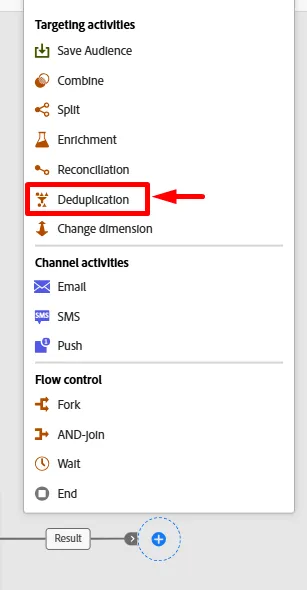
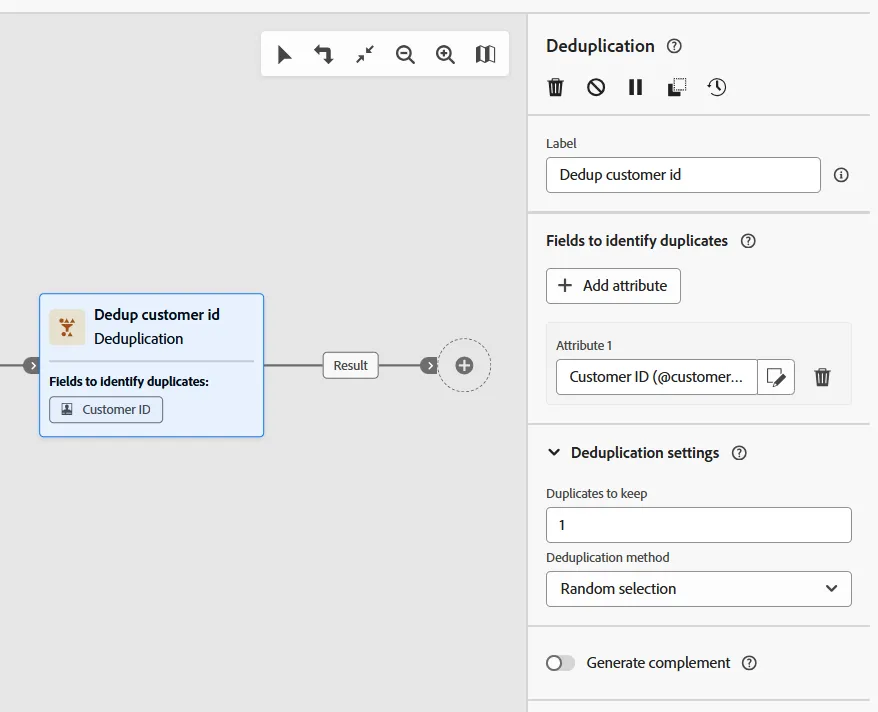
- Update the properties of the Deduplication activity in the right rail as outlined below:
- Label: Dedup customer id
- Primary Set: Convert Line to Account
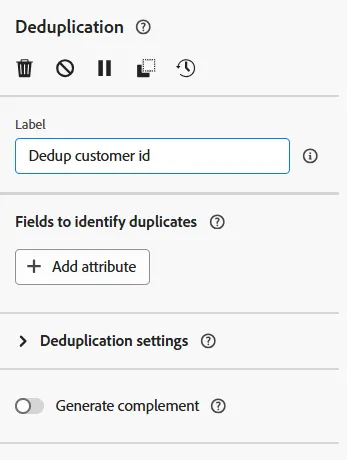
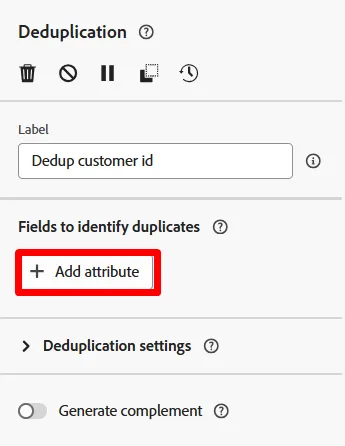
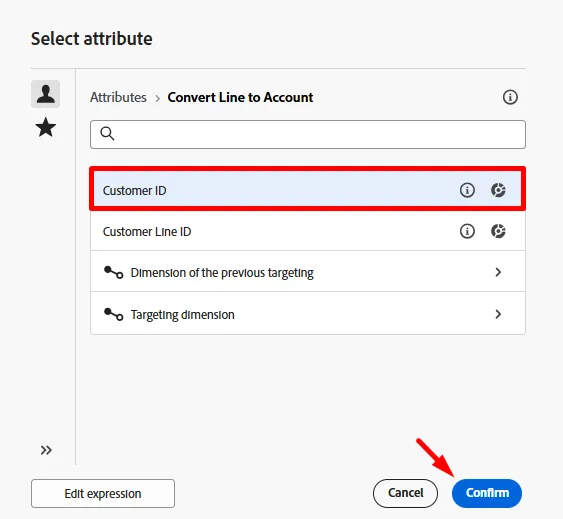
- Now click the + Add attribute button and select the field from the schema titled Customer ID
- Under the Deduplication settings, ensure you have the following set:
- Duplicates to keep: 1
- Deduplication method: Random selection
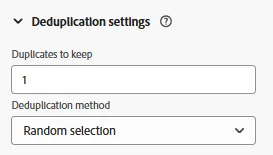
Note: the other options for deduplication allow you to specificy your own custom logic. Most of the time if you need to deduplicate you'll be doing it using the primary key of the table.
- When you are done your canvas should now look like this. Click the Save button in the upper right before moving on.
Add Save Audience Activity
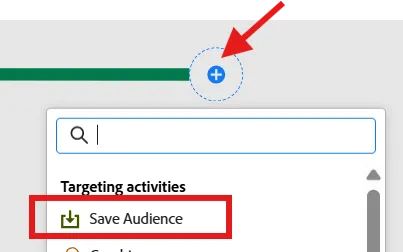
- Click the + icon after the Deduplication activity and select the Save Audience activity
- In the right rail set the properties of the activity to the following:
- Audience Label: Apple Upgrade Eligible Customer Accounts
- Profile mapping field: dep-rel: Customer Account - customer id
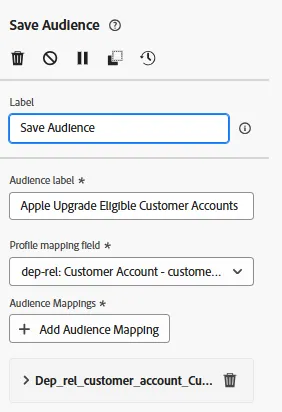
Note: The "Profile mapping field" is something that was setup for you in this lab ahead of time as part of the AJO configuration for Orchestrated Campaigns as shown below.
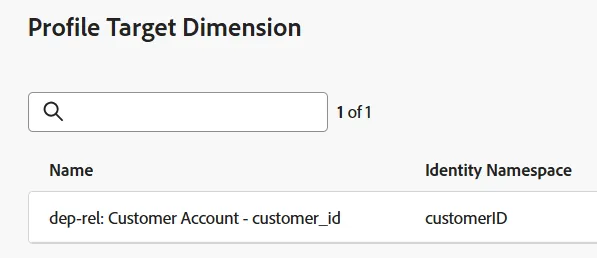
Every record from the Orchestrated Campaigns always attempts to join to a Real-Time Customer Profile at time of audience save or message sending. This configuration is applied at a schema level so reading the above configuration it states the following:
- Utilize the table dep-rel: Customer Account
- Use the field customer_id
- Join to the Real-Time Customer Profile using the identity namespace customerID and the value from the table/field to find the profile
Audience Field Mappings
By default the primary key of the targeting dimension (i.e., Customer ID) is added to the audience as a field. You can see this if you look in the right and expand the field. Two things to note:
- Source Audience Field --> refers to the field coming from the relational schema
- Target Audience Field --> the name of the field that will be created as part of the audience save
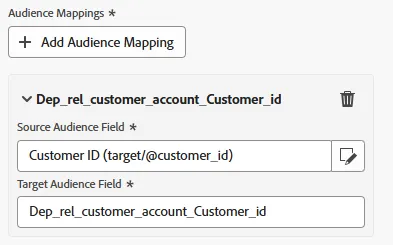
Note how terribly the Target Audience Field is named Dep_rel_customer_account_Customer_id. You should always change this to something more legible to a marketer, no excuses.
Fix Default Audience Field
- Rename the default Target Audience Field to Customer_ID like shown below:
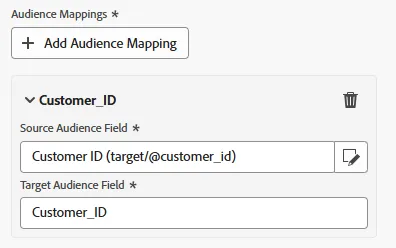
Now you have a human legible field name 🎉
- Click the Start button to run your workflow. Your workflow should now look like this and you should see the counts as follows:
- Build audience --> 65
- Convert Line to Account --> 65
- Dedup customer id --> 46

Note: The save audience activity will only create the audience when the workflow is published, not when it is simply started. When the audience is created, it will include all the attributes you added to it and will join to the Real-Time Customer Profile during the next scheduled daily run of the segmentation service job.
DO NOT PUBLISH YOUR WORKFLOW!
Challenge
What happens if you do not deduplicate before saving the audience? Will the audience store all 65 records or only the 46?

Recap
You should now have a good understanding of how the Save Audience works and why deduplication matters. Remember that you always need to have the Profile Target Mapping defined because the Relational Store data has to know how to join to the Real-Time Customer Profile. The Profile Target Mapping is the join condition 🙂